OptimalLab
Interactive visuals for AI engineering, system design, DevOps, Node.js, and DSA. You drag, step, and break each concept to see how it works, then practice the matching problems. No account needed.
Visit live siteWhat it covers
Tech stack
The challenge
Engineers learn tokenization, attention, RAG, or consistent hashing from static diagrams and long videos. The idea is described, but you never get to change an input and watch what happens.
Collaboration
I created OptimalLab and build it myself: the session format, every interactive visual, the practice section, and the project catalog. The practice problems come from Optimal Round, my own set of 178 hand-solved DSA problems. Concepts get a visual only when there is a mechanism you can vary; my engineering posts link to them.
From discovery to production
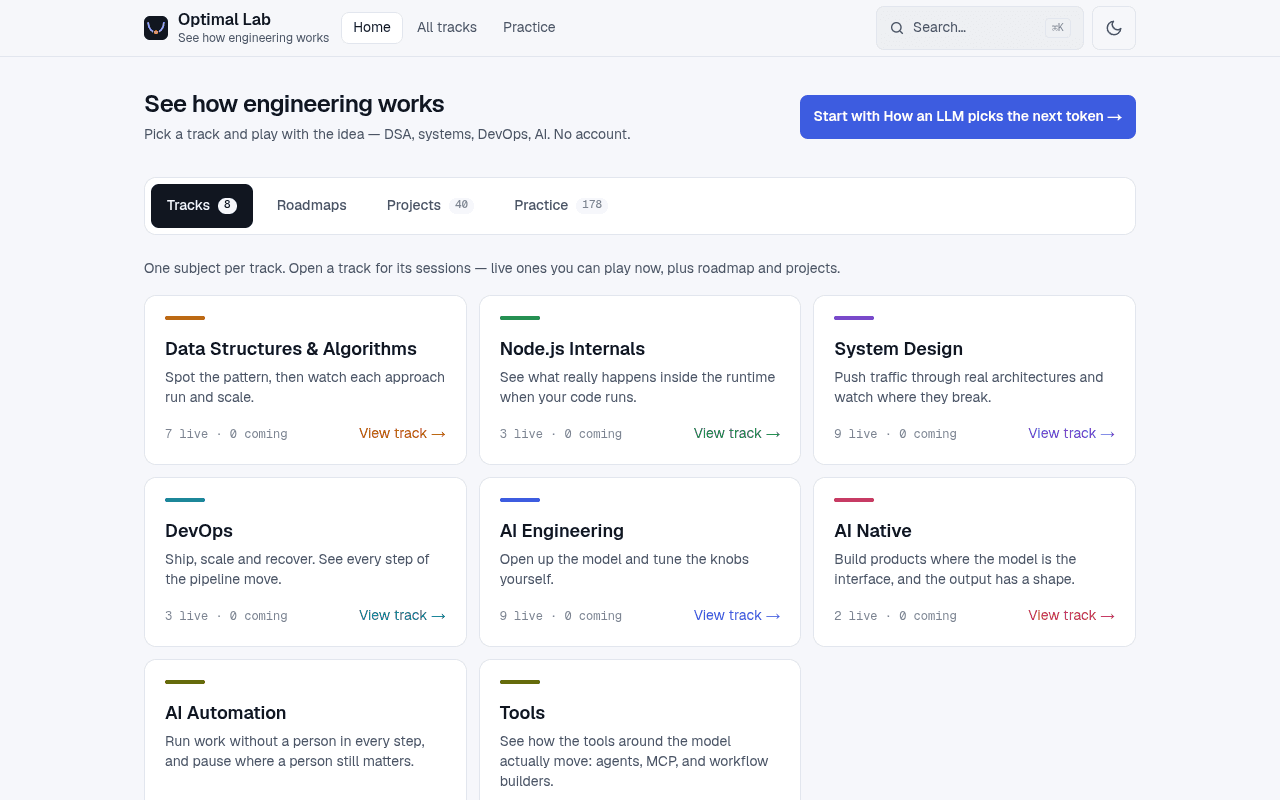
- 40 live interactive sessions across 8 tracks: DSA, Node.js, system design, DevOps, AI, AI-native, AI automation, and tools
- AI track: train a tiny BPE tokenizer, step through one attention head, pick the next token with temperature, top-k, and top-p, fill a context window, and compare trimming strategies
- Retrieval and quality: cosine-similarity embeddings, hybrid search with BM25, Reciprocal Rank Fusion, and a reranker, RAG grounding, and evals with code checks and an LLM judge
- Agents and automation: six agent patterns, structured output, tool calling, workflows with human approval, cron schedules with outages, plus Cursor agent loop, MCP, and n8n sessions
- Practice: 178 DSA problems in 22 patterns, each linked to the session that teaches it, with "Now solve it" and "Stuck? Watch the pattern run" links both ways
- A catalog of 40 hands-on projects, from a RAG chatbot and an eval harness to an MCP server, with anonymous "I'm starting" counts
- Progress tracking without accounts, ⌘K quick search, real-world tool links on every session, and light and dark themes on phone, tablet, and desktop
How it was solved
Tracks and sessions are data in one file, and a registry maps every live session to its component, so a session cannot go live without a demo. The logic behind each visual lives in plain TypeScript modules, and the components only render and animate it. Sessions share one split layout with sticky controls. Practice statements are synced from the Optimal Round repo into JSON by a script, and solutions never reach the site. Progress lives in localStorage and updates across tabs. Optional Supabase Postgres holds only anonymous counts: visitors, page views, and project starts.
Key technical decisions
- 01One interactive visual per concept, and only for concepts with a mechanism you can change.
- 02Each visual runs a real implementation in its own module, so what you see is what the algorithm does.
- 03A registry check ties every live session to a demo.
- 04No accounts: progress stays in the browser, and analytics are anonymous counts only.
- 05Practice shows problem statements, never solutions. The solutions are written by hand, with no AI.
Screenshots
Impact
- 17 of the 40 sessions teach AI engineering: model internals, retrieval, evals, tools, agents, and automation.
- Every session is something you interact with, not a video to watch.
- Learning and solving form one loop: 178 practice problems link back to the visuals for their patterns.
What I learned
A concept sticks when you can break it. Letting someone change the input and watch the output teaches more than another paragraph.